Text Positioning
In this HTML showcase page, I will be talking about the elements <sub> and <sup>, including:
- Their purpose and explanation
- HTML code examples + the results
- My reflection on what I have learned
- The references I have used
<sup>
Purpose and explanation
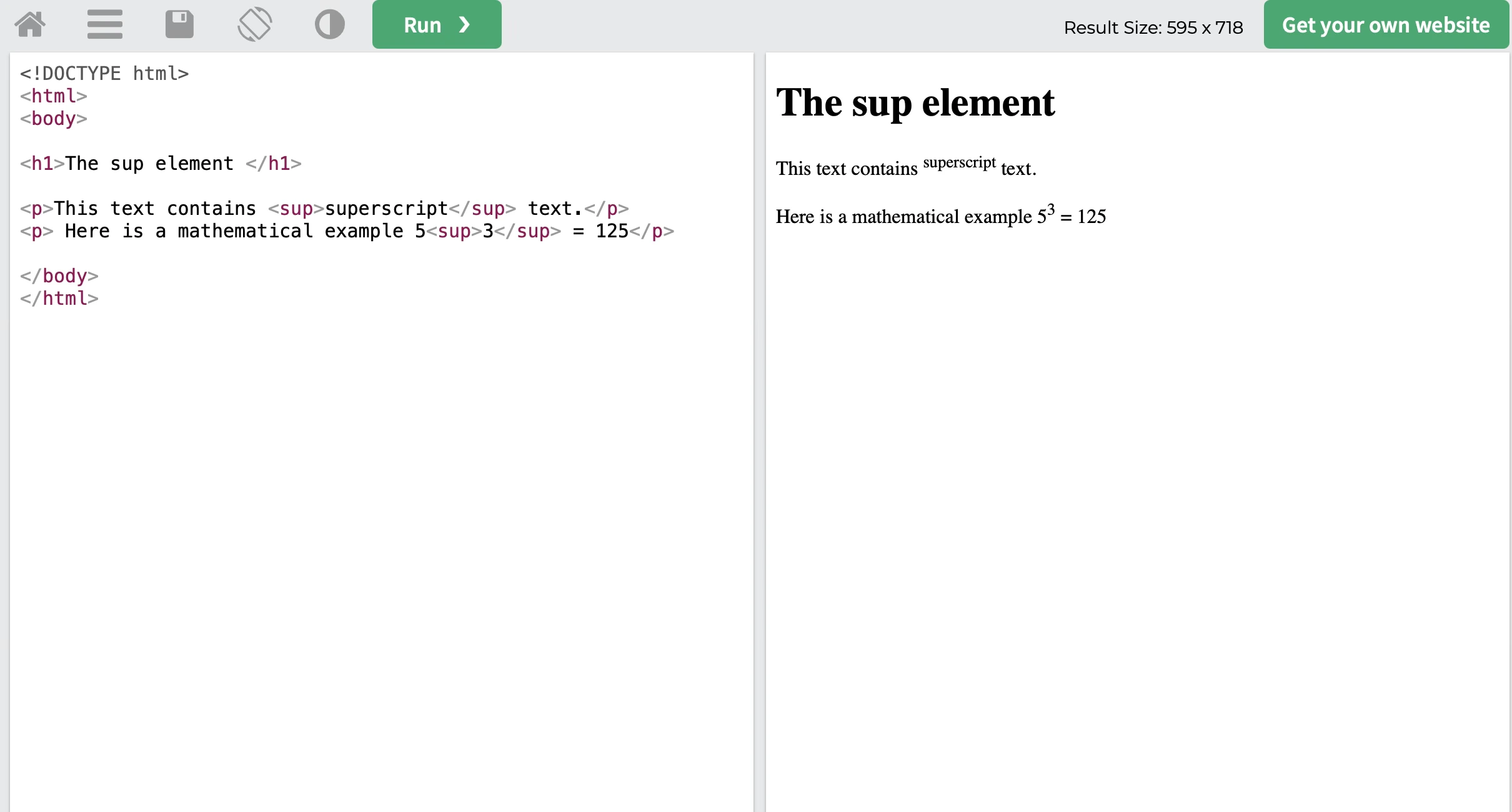
The <sup> tag means a superscript text. The superscript text appears above the normal line of text and sometimes written in a smaller font size. It is usually used when a text needs to display specific academic, mathematical expressions/values, and footer notes. For example, this can be seen on online calculators or mathematical websites to show algebraic expressions like exponents or powers allowing the user to clearly understand the numbers and the context of the information being displayed. [2] [3]
Code example + the results
NOTE: When using the <sup> tag make sure there is always both the opening and closing tags to prevent everything to accidently become superscript.
<sub>
Purpose and explanation
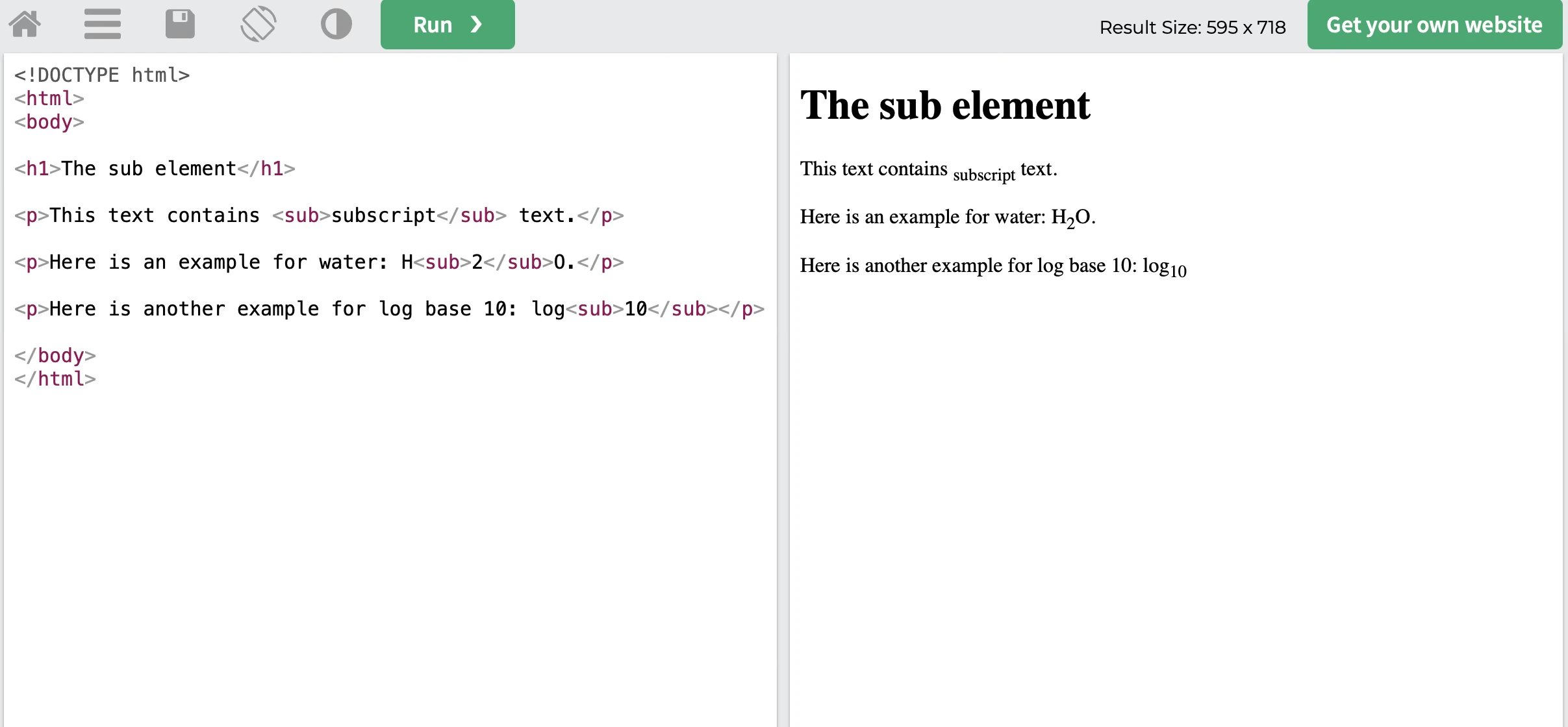
The <sub> tag means a subscript text. The subscript text appears below the normal line of text and sometimes written in a smaller font size. It is usually used when a text needs to display specific academic, mathematical expressions/values, chemical formulas, and footer notes. For example, this can be seen on online calculators or mathematical websites to show chemical formulas like H₂O or mathematical expressions like log₁₀, allowing the user to clearly understand the numbers and the context of the information being displayed. [2] [4]
Code example + the results
NOTE: When using the <sub> tag make sure there is always both the opening and closing tags to prevent everything to accidently become superscript.
Reflection
This assignment taught me how essential <sub> and <sup> tags are for formatting such as mathematical expressions and chemical formulas. I learned that precise syntax is important and that failing to close these tags correctly can easily break a page's layout. Furthurmore, I also realized how these elements help improve readability and user experience as these tags provide a professional, semantic way to present complex information. Overall, by researching these tags, it boosted my confidence to help create this web page and prepared me for my future web development tasks.